Luka Mrkić
Head of BD
Insights, strategies, and real-world playbooks on AI-powered marketing.
MAY 20, 2026
How to Automate Cold Outreach Personalization with Clay and Claude
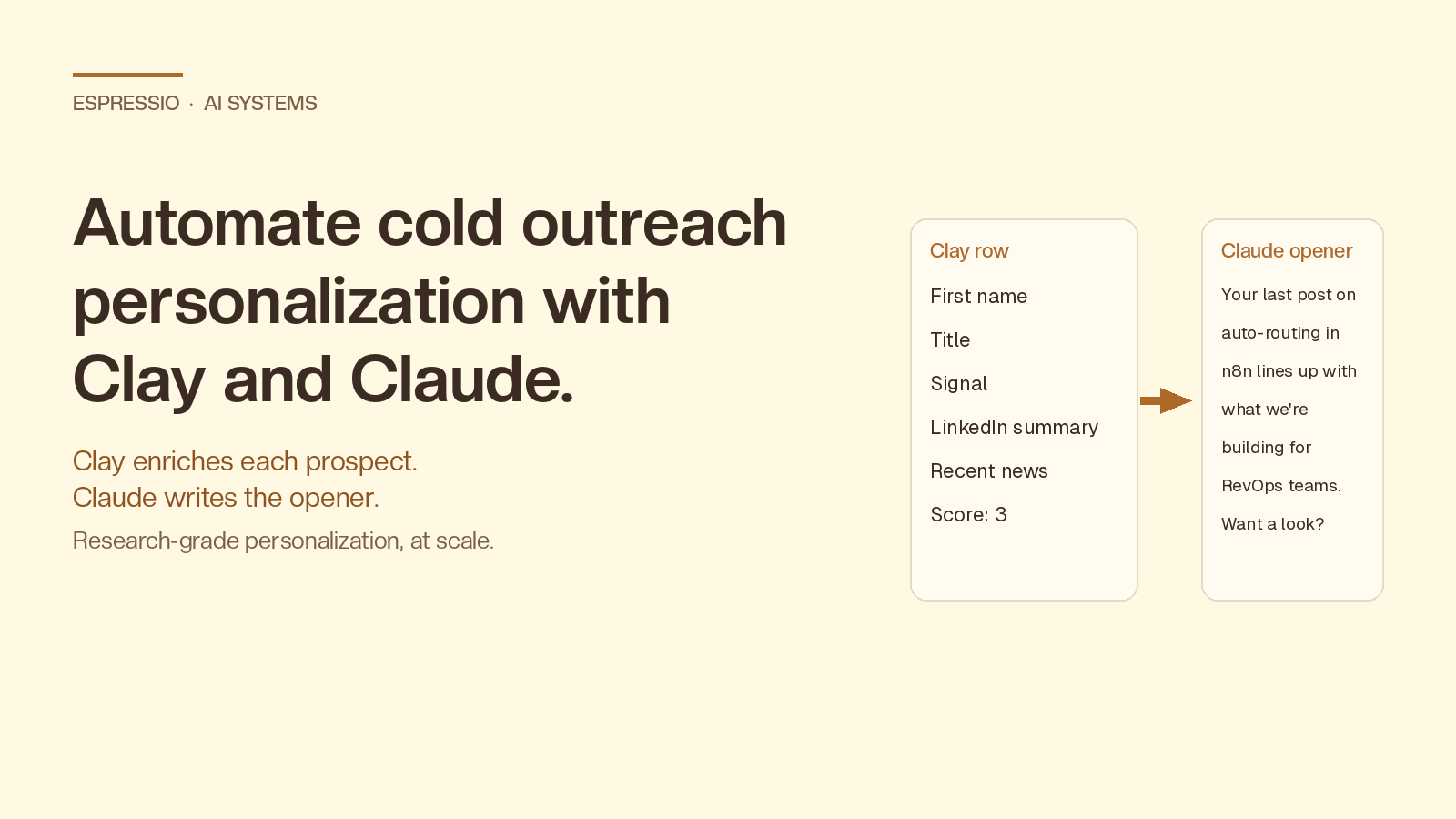
Cold outreach has two failure modes: it’s either personal but slow, or fast but generic. Clay + Claude collapses that trade-off. Clay enriches each prospect with live data (LinkedIn, website, news, job posts, hiring signals, tech stack). Claude reads that data and writes a first line that sounds like a human spent 10 minutes on it. You get research-grade personalization at thousands of contacts a day.
This guide walks through the exact workflow: table setup, enrichment waterfall, the Claude prompt that actually works, quality gates, and the deliverability rules that keep your domain alive.
Key takeaways
- Clay handles data: find, enrich, and waterfall fallback sources for each prospect.
- Claude handles judgment: read the enriched row and write a specific, non-generic opener.
- The Claude call lives inside a Clay “AI” column using your Anthropic API key. No Zapier required.
- A good prompt gives Claude permission to skip a prospect when there’s not enough signal. Skipping beats faking personalization.
- Expect 2–4x reply rate lift vs. templated outreach when personalization is grounded in real, recent signals, not just
{{first_name}}.- Send volume, domain warm-up, and inbox rotation matter more than prompt cleverness once you scale past ~200 sends/day per inbox.
What personalization actually means in 2026
Personalization isn’t Hi {{first_name}}, hope you're crushing it at {{company}}. Buyers see thousands of those a year. What works now is proof of research: a sentence that demonstrates you read something specific about this person or company in the last 30 days, and connected it to a reason you’re reaching out.
That requires two things automation has historically been bad at:
- Pulling fresh, multi-source data about each prospect.
- Reasoning over that data to write something a human would write.
Clay solves the first. Claude solves the second.
Why Clay + Claude, not Clay alone or ChatGPT alone
Clay’s value is the data layer. The LLM you pick on top of it determines the quality of the writing. Compared to running ChatGPT inside Clay, Claude tends to follow nuanced prompt rules more reliably (especially the “skip when context is thin” instruction and banned-phrase lists), reasons over the full enriched row more coherently because of its longer context window, and produces copy that reads less like a sales tool wrote it. The cost difference per row is small, and you save it back on retries and human edits.
The workflow at a glance
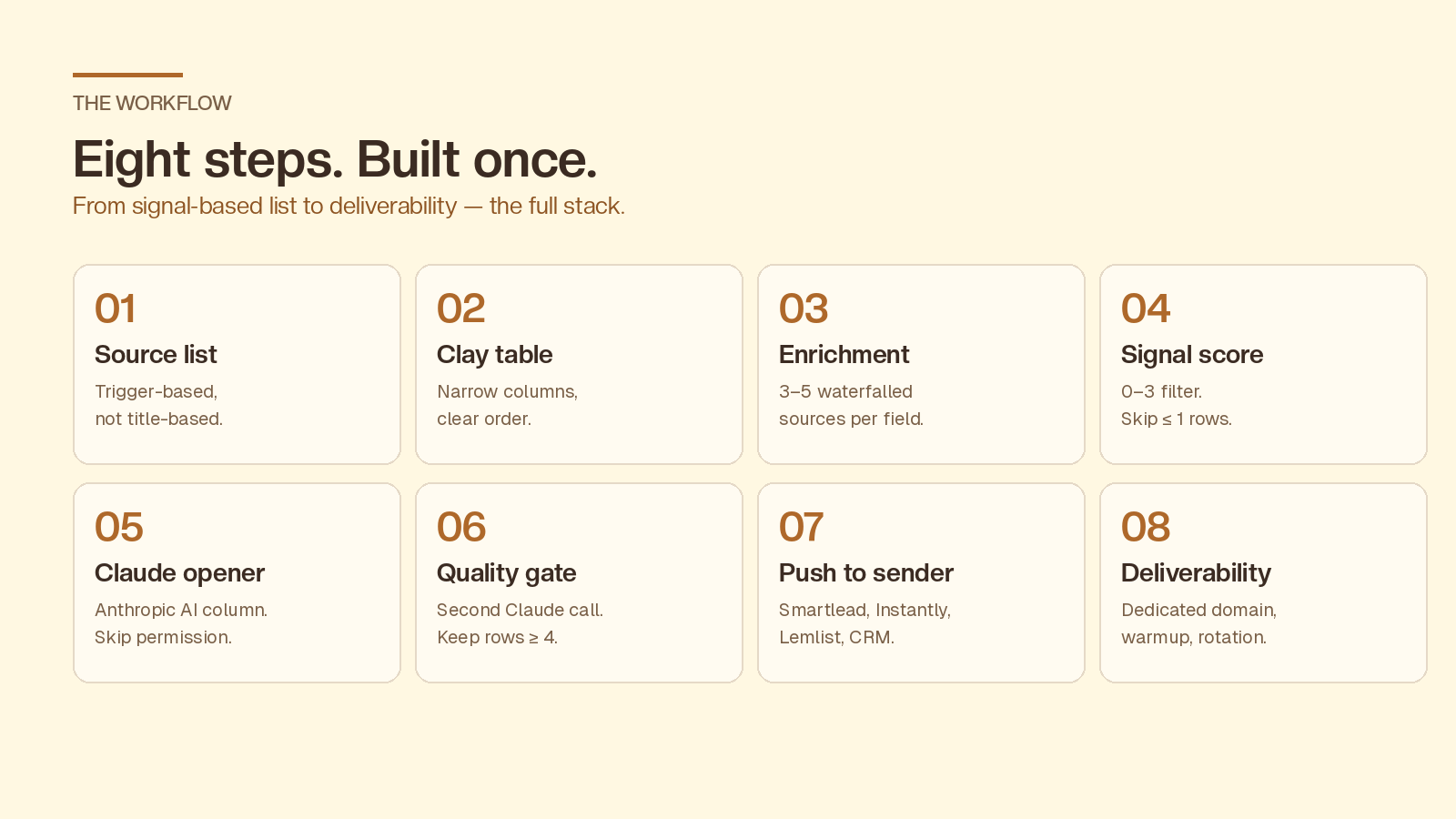
The system has eight steps, and once it’s set up, only the source list at the top needs ongoing attention:
- Build a signal-based source list
- Set up the Clay table
- Build the enrichment waterfall
- Score the signal before you spend tokens
- Run the Claude personalization column
- Add a Claude quality-gate column
- Push to your sending tool
- Protect deliverability
Step 1: Build the source list
Pick a trigger, not a title list. A good cold list is built around a buying signal, not just an ICP filter. Examples that work:
- Companies that posted a relevant job in the last 14 days (Clay’s job-posting enrichment)
- Companies that just raised a Series A/B in your vertical (Clay’s funding data)
- Accounts using a specific tool you replace or integrate with (BuiltWith / Wappalyzer via Clay)
- LinkedIn Sales Nav saved searches imported via Clay’s Chrome extension
Why this matters for personalization: the signal itself becomes the first sentence of your opener. If you can’t articulate the signal in one sentence, Claude won’t be able to either.
Step 2: Set up the Clay table
Recommended column order:
Full name,First name,Company,Domain,LinkedIn URL,TitleSignal(the trigger that put them on the list)- Enrichment columns (see step 3)
Signal score(formula column)Claude opener(AI column)Quality flag(formula or second AI column)Send / Skip(boolean)
Keep the table narrow at first. Personalization quality dies when Claude is fed 40 noisy columns.
Step 3: Build the enrichment waterfall
A waterfall just means try source A first, fall back to source B if A returns nothing. In Clay:
- Email: Clearbit → Apollo → Hunter → Datagma (run only until one returns valid)
- LinkedIn → person summary: Clay’s “Find LinkedIn profile” + “Scrape LinkedIn profile”
- Company context: Clay’s “Scrape website” on the homepage +
/about+/blog/latest - Recent news: Clay’s “Search news” by company name, last 60 days
- Optional but high-value: their last 3 LinkedIn posts (if public)
Cap the waterfall. Every extra step adds latency and cost. Three to five enrichment columns is the sweet spot.
Step 4: Score the signal before you spend tokens
Add a formula column that returns a 0–3 signal score:
- 3 = strong signal (relevant job post, recent funding, tool match, public post on the exact pain)
- 2 = decent signal (general hiring, recent press, growth signs)
- 1 = ICP match but no fresh signal
- 0 = missing data
Then filter your Claude column to only run on rows with score ≥ 2. This single rule cuts your AI spend by 40–60% and removes the worst offenders, the rows where Claude has nothing to work with and writes generic filler.
Step 5: The Claude personalization column
In Clay, add an AI column and pick Anthropic / Claude as the provider. The built-in AI column supports Anthropic’s API directly, so paste your key once and reference any column in the prompt with {{column_name}}. Use Claude Sonnet for the price-quality balance, or Opus for high-ACV outbound where reply quality matters more than cost.
Here’s a prompt that consistently produces openers that don’t sound like AI:
You are writing the first sentence of a cold email to {{first_name}},
who is {{title}} at {{company}}.

Context about them (only use what's actually here, do not invent):
- Recent signal: {{signal}}
- LinkedIn summary: {{linkedin_summary}}
- Company description: {{company_description}}
- Recent company news: {{recent_news}}

Your task:
Write ONE sentence (max 25 words) that proves you actually read the
context above. It must reference a specific, verifiable detail,
not a generic compliment.

Hard rules:
- Do not use the words "impressive", "love what you're doing",
  "noticed", "saw that", "hope this finds you well".
- Do not start with the person's name.
- Do not use exclamation marks.
- Do not invent facts. If the context is thin or generic, output
  exactly: SKIP
- Write the way a sharp 32-year-old founder texts, not the way a
  sales tool writes.

Output: just the sentence, or SKIP. No preamble.
Two design choices in that prompt do most of the work:
- Permission to skip. Without it, the model fills in air. With it, you get a clean
SKIPflag you can filter on. - Banned phrases. This is the single highest-leverage edit. Listing the exact AI-tells you don’t want forces the model to find a different sentence.
Step 6: Add a second AI column as a quality gate
Run a second, cheap Claude call against the opener with this prompt:
Below is a cold-email opening sentence. Rate it 1–5 on whether it
sounds like a human wrote it after 5 minutes of research.

1 = obvious AI / generic
5 = sounds like a real person referencing a real thing

Output: just the number.

Sentence: {{claude_opener}}
Filter your push-to-sender step on score ≥ 4. This catches the 10–15% of openers that slip through with subtle AI-voice issues.
Step 7: Push to your sending tool
Clay pushes cleanly to Smartlead, Instantly, Lemlist, Salesloft, Outreach, HubSpot, and most CRMs. Map:
Claude opener→{{custom_field_1}}(or whatever your sender calls it)- Email body template references that variable in sentence 1
- The rest of the email stays the same across all prospects. Only the opener as a custom field, body constant.
A common mistake: personalizing 4 different parts of the email. That multiplies failure modes and rarely improves reply rate. One sharp personalized opener plus a clear, unchanged value prop converts better.
Step 8: Deliverability is the silent killer
None of this matters if your emails go to spam. Non-negotiables:
- Dedicated sending domain (e.g.
get-yourcompany.com), never your primary domain - 3–5 mailboxes per sending domain, max 30–50 sends/day per mailbox
- SPF, DKIM, DMARC fully configured before the first send
- 2–4 week warm-up via Smartlead/Instantly’s built-in warmer
- Rotate inboxes inside the same campaign
Personalization protects deliverability indirectly: replies are the strongest positive signal to inbox providers. Better openers → more replies → better placement → more replies. It compounds.
What good looks like
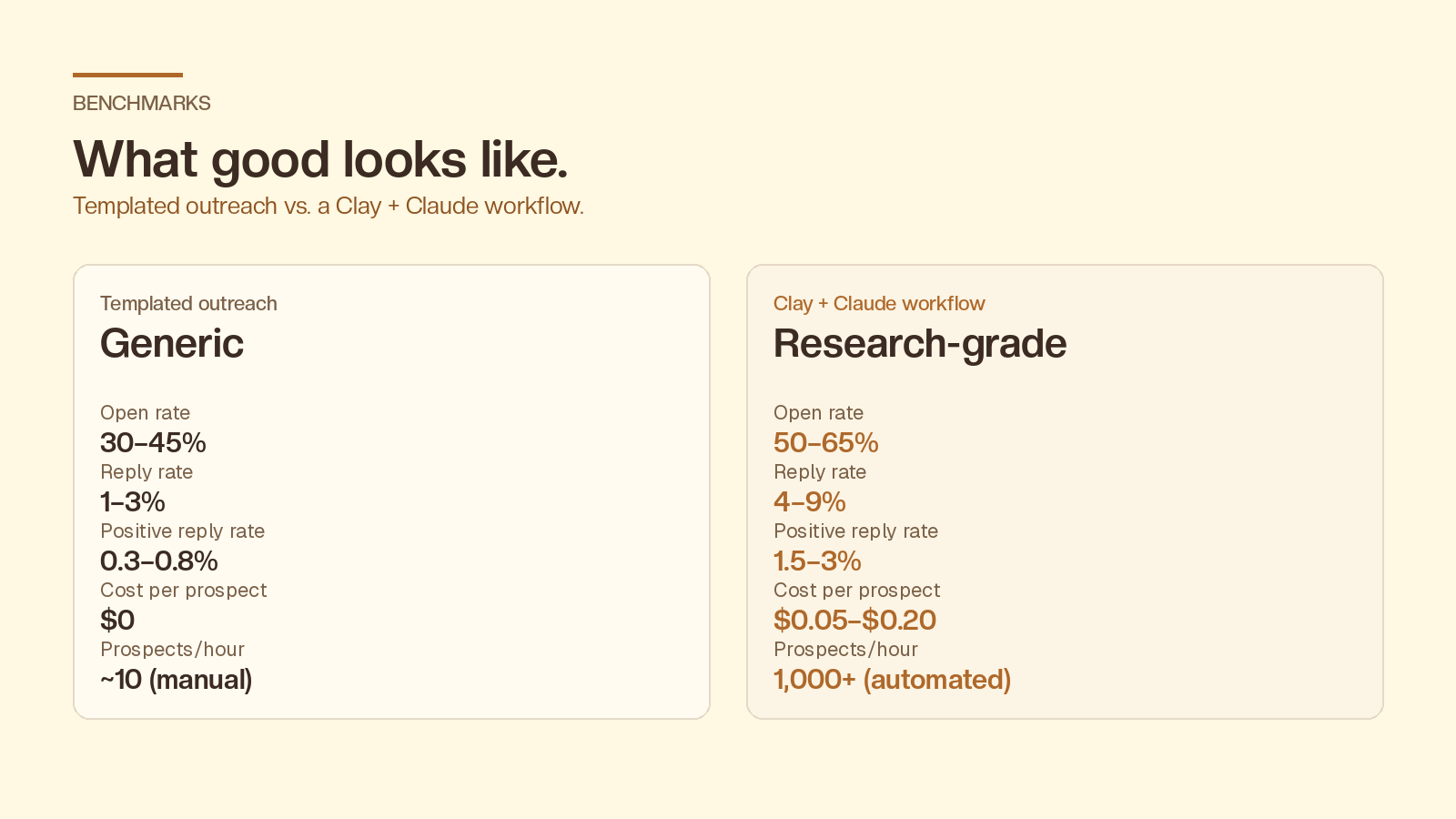
Real benchmarks from B2B SaaS, agency, and services outbound in 2025–2026 data:
- Open rate jumps from 30–45% on templated outreach to 50–65% on Clay + Claude workflows
- Reply rate moves from 1–3% to 4–9%
- Positive reply rate moves from 0.3–0.8% to 1.5–3%
- Cost per personalized prospect lands at $0.05–$0.20 (vs. free, but worse, with templates)
- Prospects researched per hour goes from ~10 (manual) to 1,000+ (automated)
Your exact numbers depend on offer-market fit, list quality, and inbox health more than on prompt wording.
Where teams get this wrong
- Personalizing without a signal. Claude can’t manufacture relevance. If the row has no recent signal, skip the prospect. Don’t lower your prompt’s bar.
- Over-engineering the prompt. Adding more rules past ~10 instructions usually makes output worse, not better. Tight beats elaborate.
- Skipping the quality gate. A 30-second second-pass column catches the failures that erode reply rate over a campaign.
- Sending from the founder’s main inbox. One bad campaign poisons your primary domain. Always use a dedicated sending domain.
- Treating Clay as a CRM. It’s an enrichment and orchestration layer. Push clean rows out. Don’t manage the relationship inside it.
When to use Claude vs. a cheaper model
Use Claude (Sonnet or Opus) when you’re paying $20+ per qualified meeting and reply quality matters, when your context per row is large (multiple enrichments, posts, news items), or when you need consistent tone adherence across thousands of rows. Claude calls themselves are usually 1–3 cents per row on Sonnet at current pricing.
Use a cheaper model (Haiku, GPT-4o-mini) when you’re at the top of funnel with thin context, when you’re A/B testing prompt variants and want fast iteration, or when volume is in the tens of thousands per week and economics dominate.
A reasonable production setup: Haiku/4o-mini for the first-pass opener, Claude Sonnet for the quality gate and rewrite on anything that scores below 4.
Bring it together
Built once, this runs in the background. Your job shifts from writing emails to refining signals and watching reply rates. The full stack:
- Signal-based list, not just ICP
- Narrow Clay table with a signal score
- 3–5 waterfalled enrichment sources
- Claude opener column with explicit skip permission and banned-phrase list
- Claude quality-gate column, filter ≥ 4
- Push to sender with opener as a custom field, body constant
- Dedicated sending domain, warmed inboxes, rotation
That’s the whole system. If you’re curious how AI fits into your cold outreach systems, let’s talk.
Frequently asked questions
Can I use Claude inside Clay natively, or do I need Zapier?
Natively. Clay has a built-in AI column that supports Anthropic’s API directly. Paste your API key once and reference any column from your row inside the prompt with {{column_name}}.
How much does Clay + Claude cost per prospect?
Roughly $0.05–$0.20 per fully personalized, enriched, quality-gated prospect. Enrichment dominates the cost. The Claude calls themselves are usually 1–3 cents per row on Sonnet.
Does AI-personalized outreach violate CAN-SPAM or GDPR?
Personalization itself doesn’t change the legal picture. CAN-SPAM (US) requires a valid physical address and a working unsubscribe. GDPR (EU) requires a lawful basis. For cold B2B outreach, that’s usually legitimate interest plus the ability to opt out. Don’t email EU consumers cold. For B2B in the EU, keep contact frequency reasonable and honor opt-outs immediately.
Will recipients be able to tell it’s AI-written?
With a tight prompt, banned-phrase list, and a quality gate, no, not at the opener level. Where AI-written outreach gets caught is volume and uniformity: identical sentence structures across hundreds of emails, or the same odd word choices repeating. Rotate prompt variants weekly and review 20 random sends per campaign to catch drift.
Can I do this with ChatGPT instead of Claude?
Yes. The architecture is identical. Swap the AI column provider in Clay. In practice, Claude tends to follow nuanced prompt rules more reliably (especially the “skip” instruction and banned-phrase list) and produces slightly less generic-sounding copy out of the box. Both work. Test on your own list.
What’s the minimum list size where this is worth setting up?
About 500 prospects per month. Below that, hand-personalization is faster than building the workflow. Above 1,000/month, automation is the only economically rational option.
Should I personalize more than the first line?
Usually no. Diminishing returns kick in fast. One sharp opener plus an unchanged, well-written value prop beats four personalized sections almost every time, and is far cheaper to maintain.