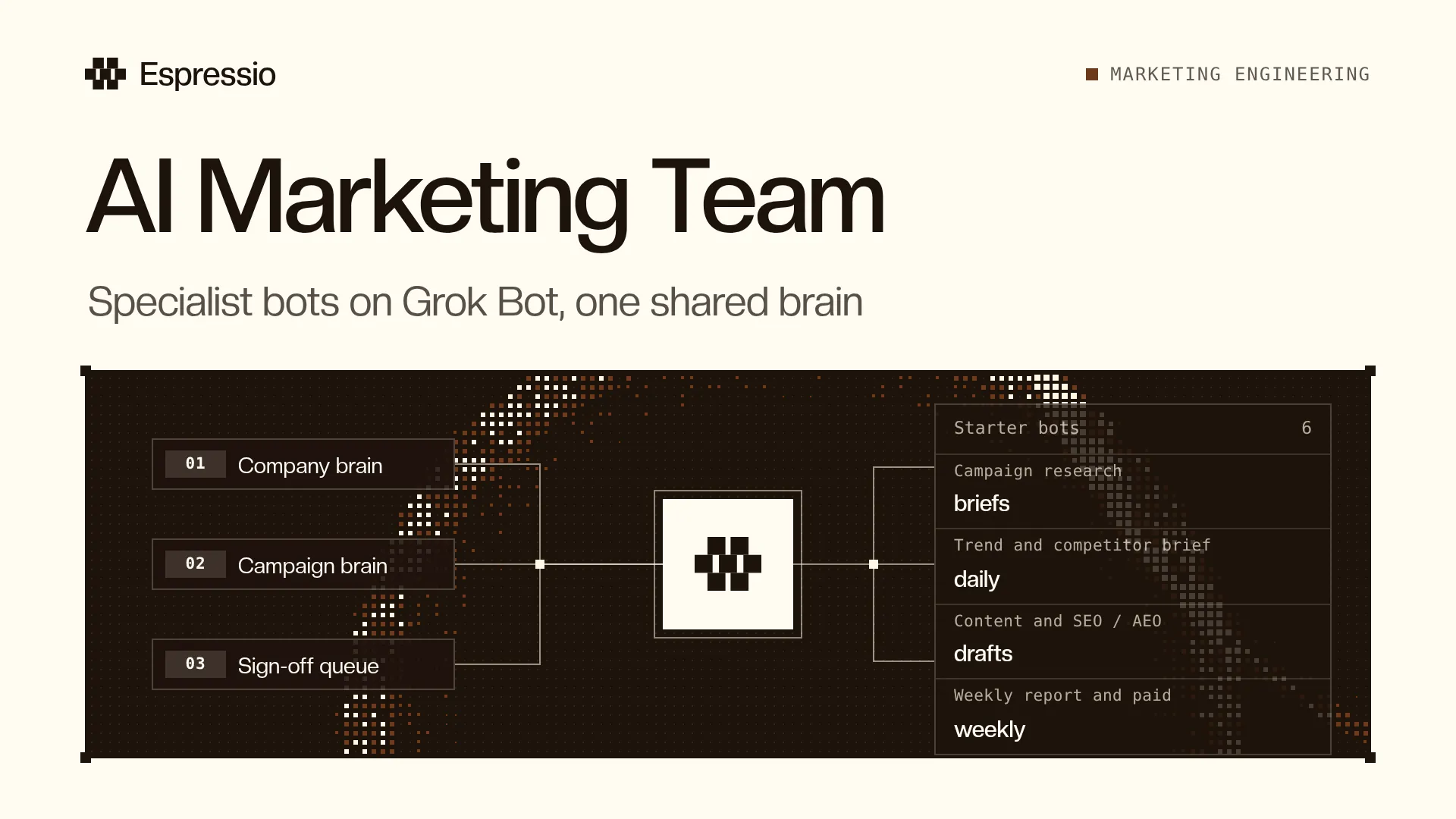
How to Build an AI Marketing Team with Grok Bot
How to build an AI marketing team on Grok Bot: a shared company brain, specialist bots for SEO, content, paid and research, and a human sign-off queue.

On this page
- 01What is an AI marketing team?
- 02Why specialist bots beat one giant marketing bot
- 03Build the company brain and the campaign brain
- 04The roles to set up first
- 05How to set up an AI marketing team on Grok Bot
- 06Keep a human sign-off queue
- 07Level up: CLI workers and marketing engineering
- 08Frequently Asked Questions
An AI marketing team is a group of specialist AI agents that each own one part of your marketing, such as SEO, content, paid or research. They all read the same company brain, hand work to each other and save results to shared files. A person still approves anything that publishes, spends money or contacts someone.
That last part is what separates a working AI marketing team from a pile of chatbot tabs. This guide shows how to set one up on Grok Bot: the brain the bots share, the roles to start with, how to build each bot, and where people stay in charge.
It draws on what I’ve posted on X about running marketing bots since August 2026, linked in each section. I run my own Grok Bot team for my business and for my personal brand (X, 29 October 2026). Grok Bot features change often, so this post is dated and will be updated.
Key Takeaways
- An AI marketing team is several specialist bots with one shared company brain, not one giant marketing bot.
- Give every campaign its own folder (the campaign brain) for the brief, research, decisions and results.
- Start with a few roles: research, trend and competitor brief, content, SEO / AEO and a weekly report. Add paid once monitoring works.
- On Grok Bot, start from a marketplace template, add your company context, test one task, save it as a skill and then schedule it.
- Research and drafts can run alone. Publishing, outreach, budget changes and payments wait for a recorded human approval.
- When usage gets tight, Grok Bot can act as the operator and hand heavy work to CLI tools you already pay for, managed in Herdr.
What is an AI marketing team?
Most posts that rank for “AI marketing team” are product pages. They define the term, list five jobs and sell one agent. The definition is fine. What they skip is how the team works day to day: where context lives, how work moves between bots, and who signs off.
In practice an AI marketing team has four parts:
| Part | What it is | Where it lives |
|---|---|---|
| Company brain | Positioning, offers, customers, brand rules, approved examples, past decisions | Markdown files in a GitHub repo |
| Campaign brain | One folder per campaign: brief, research, working files, decisions, results | A folder in the same repo, plus a tracker |
| Specialist bots | One bot per marketing area, each with its own skills, tools and access | Grok Bot, or another agent harness |
| Sign-off queue | The list of actions waiting for a person to approve, edit or reject | A tracker, a file, or a Slack thread |
The bots do the research, drafting, sorting and checking. People set the goal, add taste and approve what goes out.
Why specialist bots beat one giant marketing bot
The pattern I use is one specialist bot per marketing area, all reading the same company brain (X, 14 August 2026). An orchestrator moves work between them. A content article can go to the PR bot for a pitch, then to the outbound bot to reuse in outreach.
Splitting the work helps in three ways:
- Each bot loads only what its job needs. The content skill pulls in voice rules and examples. The SEO skill pulls in the brief, search result notes and pages that already rank. Without the right context, you get generic output (X, 20 August 2026).
- Access stays narrow. Each agent gets only the files, tools and permissions it needs (X, 27 August 2026). A content bot can draft and queue. It can’t post live, send an email sequence, edit the CRM or move spend without sign-off.
- Skills can differ for the same task. Several bots can share one skill and get the update when it changes. But a bot writing SEO articles needs a different writing skill from one writing social posts (X reply, 20 August 2026).
The goal is not one giant marketing bot. It is a campaign operating system where the context lasts, the work can branch, and people can see and control it.
One lesson from running bots together in Grok Bot Groups: today every bot in a group answers every request, so the fix for now is to @mention the one bot you want (X, 28 October 2026). That makes setup matter. Give each bot a clear name, a description of what it does and a list of its skills, so you (and later a router) can pick the right one.
Build the company brain and the campaign brain
Every bot on the team starts from the same files. I keep them as markdown in Git, with GitHub as the shared place (X, 13 September 2026). Git works for non-technical marketers too, because the files, skills and history stay the same whether someone uses Grok Bot, Hermes, Claude or Codex (X, 3 September 2026).
The company brain is the stable context every campaign starts from:
- positioning, offers and pricing
- ideal customer profiles, exclusions and audience notes
- brand rules, voice rules and channel playbooks
- approved examples from past work
- budget rules, permissions and dated past decisions
The campaign brain is one folder per campaign. It holds the brief, research, production files, operations, results and a campaign map (X, 27 August 2026). The map can be a single file, a GitHub issue or a Linear issue. It records the goal and definition of done, open decisions, blocked and unblocked work, owners and approvals, and a decision log with sources.
A simple repo layout that follows those posts:
marketing-brain/
├── company/          positioning, offers, ICPs, brand and voice rules, decisions
├── skills/           one file per repeatable job
├── campaigns/
│   └── <campaign>/   brief, research, production, results, campaign map
└── references.md     where to find the warehouse, brand book and tools
Two more pieces make the brain useful for measuring results:
- A data warehouse for performance data such as spend, clicks, leads, conversions and content results. GitHub holds the schemas, queries and connectors the bots use to pull what they need (X, 3 September 2026). Keep the definitions beside the numbers: what counts as a lead, which reporting window you use and how late the data can arrive.
- A references.md file with links and instructions for finding context, so whichever harness runs the bot can find the files, query the data and open your designs with your feedback (X, 13 September 2026).
Decide what belongs where. A short-lived trend belongs in the campaign research. A customer objection that keeps coming back can move into the company brain after your team reviews the evidence (X, 30 September 2026).
The roles to set up first
You don’t need ten bots on day one. These are the starting roles I’ve written about, grouped by job. Pick the ones that match work your team already does.
| Bot | What it owns | Starts by |
|---|---|---|
| Campaign research | Competitor offers, customer objections, signup funnels, examples to test | Asking about your experience before it researches |
| Trend and competitor brief | A watchlist of accounts, competitors and topics | A daily brief, reviewed weekly |
| Content | Posts, email and page drafts in your voice | Researching angles and asking your view before drafting |
| SEO / AEO | Declining pages, unanswered questions, briefs, drafts and updates | Preparing changes in your CMS for review |
| Weekly report | Results by asset and channel, missing tracking, questions to discuss | Working from exports you upload |
| Paid ads | Creative variations and campaign changes against your targets | Monitoring and drafts only |
Sources for these roles: the six starter bots in my Grok Bot for marketing post (19 September 2026) and the five starter bots in my marketing engineering post (8 October 2026).
A few details make each role work:
- Research. Give it your campaign idea, goal and the context you have. Use its browser access to walk public campaign pages and signup flows, and keep links and screenshots with the findings. Save it all in the campaign brain (X, 16 September 2026).
- Trend brief. Each finding should include the original source, what changed and why it might matter. Public engagement helps you find ideas, but only your own results show whether they work for your business.
- Content. Give it your rough ideas, voice notes and writing examples, plus the claims you can support. Save your edits with the reason. “This opening sounds generic because it could describe any company” gives the bot useful direction for the next draft.
- SEO / AEO. Connect Google Search Console and keyword data. Have it find pages that are losing traffic and questions nobody answers well, then prepare a brief and a draft. Track search results after you publish.
- Paid. Have it read performance from your warehouse, compare it to your targets and prepare new creative and changes in the ad platform for approval. Allow specific actions only once you’ve tested the workflow.
When those run well, the next roles to add are PR, CRO and outbound (X, 14 August 2026), a creator and partnership research bot, and a founder relationship bot that keeps track of conversations and drafts replies for your approval (X, 19 September 2026).
Team Bots for a whole marketing team
If several people share the bots, Grok Bot’s Team Bots fit. They are shared AI teammates your team can work with in Slack or Grok Bot, each with the skills, plugins and account access its role needs (X, 30 September 2026). The five roles I’d set up there:
- Campaign coordination (marketing ops). Breaks the approved plan into tickets with owners, assets and done criteria, and keeps the sign-off queue.
- Research. Daily checks for time-sensitive changes and a weekly review of broader patterns, with source and date on every finding.
- Content and creative. Works from the approved brief, brand book and accepted or rejected examples, and saves feedback next to the work.
- Performance analysis. Connected to the warehouse with metric definitions, compares equal periods and flags missing data.
- Marketing knowledge. Proposes updates to the company brain from meeting notes, calls and approved work, and flags conflicts for the team to resolve.
All five need clear access rules and a named person responsible for each one.
How to set up an AI marketing team on Grok Bot
Grok Bot has a low barrier to entry: you can have a first bot running in minutes (X, 8 October 2026). It comes with computer use, so bots can work across websites and the apps you connect, and Grok provides the cloud computer, so there are no servers to run.
The setup order I follow:
- Set up the shared context. Create the GitHub repo for the company brain, with a folder for each campaign. Connect a data warehouse if you have performance data to pull.
- Connect the tools each workflow needs. For example, Search Console and DataForSEO for search, Google Ads and Meta Ads for paid, Figma or Paper for brand references, and your CMS and email platform for publishing. Keep instructions for each tool next to the skills, including what the bot may change and when it needs approval.
- Start from a marketplace template. Pick the template closest to the job. The marketplace has research, writing and reporting setups, such as the X brief, writing bot, clip bot and paid media report desk (X, 19 September 2026).
- Add your company context. Point the bot at the brain and adapt the job to work your team already does.
- Run one task together. Give the bot one task with a clear output and review the result with it. Adjust the instructions and test again.
- Save it as a skill. A skill is reusable instructions for that job: what it owns, which files and data it reads, which tools it can use, the steps, the output and the checks it must pass (X, 3 September 2026).
- Schedule it. Routines run the skill on a timer, like a daily SEO check, a weekly content batch or a nightly competitor scan.
One safety note: bots on the same account share the same cloud computer, files and signed-in sessions. Check what you’re making available before you connect client accounts.
Keep a human sign-off queue
Speed comes from letting bots work without asking. Safety comes from knowing which actions they can’t take alone. I split it like this (X, 27 August 2026):
| Can usually run without asking | Waits for a recorded approval |
|---|---|
| Research | Publishing |
| Drafting | Outreach |
| Organizing files | Creator pricing |
| Comparisons | Budget changes and spend |
| Scheduled checks | Payments |
Each approval record should show the current state, the proposed action, the supporting source, a rollback plan and three choices: approve, edit or reject.
After approval, the live work can run in parallel. Scheduled watchers track deadlines, spend, tracking and changed facts. If something crosses a limit, the bot pauses that work and opens a new ticket in the campaign map instead of improvising.
Then close the loop. Dated reports feed the final campaign report: what worked by asset, creator and channel, what changed, what failed and what to reuse. Results stay in the campaign brain. Approved lessons move into the company brain as new rules, playbooks and examples, so the next campaign starts from a better place.
Citation Capsule: An AI marketing team is a set of specialist AI agents (for example SEO, content, paid and research) that share one company brain and a per-campaign brain kept as files in Git. A human sign-off queue holds publishing, outreach, spend and payments for explicit approval, while research and drafting run on their own. (Shann Holmberg, Espressio, November 2026)
Level up: CLI workers and marketing engineering
This part is optional. Grok Bot alone is enough to run the team above. If you hit usage limits or want heavier work done, there is a next step (X, 31 August 2026).
Install the CLI tools for AI subscriptions you already pay for, such as Codex CLI, Grok CLI or the Cursor CLI, on your Grok Bot’s cloud computer. Grok Bot then acts as the operator:
- It receives the objective.
- It decides which worker should handle it.
- It opens the right CLI session.
- It reviews the output and continues the workflow.
The delegated work uses the separate allowance of that subscription. It doesn’t make Grok Bot unlimited, because planning, routing and reviewing still use Grok Bot usage.
Herdr makes the workers easier to manage. It is an open-source app for running agents, where each agent shows whether it is working, done or waiting on you. Grok Bot can use it to organize worker sessions and follow their progress, and you can open any session to add context or steer it. For a campaign, Grok Bot holds the context while research, planning, copy, production and analysis go to separate CLI workers.
When you set it up, ask Grok Bot to walk you through logging into each CLI, pause when you need to take over the browser or approve access, and never ask you to paste passwords, codes or API keys into the chat.
This is also the start of marketing engineering: building the systems your marketing runs on. If you want to go further:
- Cursor for marketing teams covers using Cursor yourself to build scripts and tools. This guide is about a team of bots that does the work.
- The Hermes Agent guide covers an open-source harness you can run the same specialist pattern on.
- How to automate marketing for SaaS startups helps you choose which workflows to automate first.
- Acquisition channels lists the channels these bots can help you run.
Frequently Asked Questions
What is an AI marketing team?
An AI marketing team is a group of specialist AI agents that each own one marketing area, such as SEO, content, paid or research. They share a company brain, pass work to each other and save results to shared files. People approve anything that publishes, spends money or contacts someone.
What are AI agents for marketing?
AI agents for marketing are AI systems that can take steps on their own to finish a marketing task, not just answer a prompt. They read your files, use tools such as a browser, Search Console or an ad account, and save their output. Grouped by role with shared context, they become an AI marketing team.
How do you build an AI marketing team with Grok Bot?
Put your company knowledge in a GitHub repo, connect the tools each job needs, and start each bot from the closest marketplace template. Add your context, run one task together, save the process as a skill and schedule it with a routine. Add one role at a time.
Which AI marketing agents should you start with?
Start with the work you already repeat every week. A good first set is campaign research, a daily trend and competitor brief, a content bot, an SEO / AEO bot and a weekly report bot. Add paid ads once the bot has proven it can monitor and draft well.
Can an AI marketing team replace a marketing hire?
It changes the job more than it removes it. The bots handle research, drafts, sorting and checks. People still set goals, give taste and feedback, approve what goes out and own each bot’s access. Every role in the setup above has a named person responsible for it.
What should stay human when agents run the work?
Publishing, outreach, creator pricing, budget changes, spend and payments. Each of those should wait for a recorded approval that shows the proposed action, the source behind it and a rollback plan. Research, drafting, organizing and scheduled checks can usually run without asking.
How is an AI marketing team different from marketing automation tools?
Marketing automation tools run fixed rules, like sending an email when someone signs up. An AI marketing team works from goals and context: it researches, drafts, compares results and proposes the next step. The two work together, and the bots can prepare changes inside your existing tools for approval.
Get the latest AI workflows, tools and news
Sign up for the Espressio newsletter. We want to make you AI-native.
You're on the list.
The next issue goes to your inbox.